Stop before you click
Do not pay, verify a card, or share banking information from a WhatsApp link
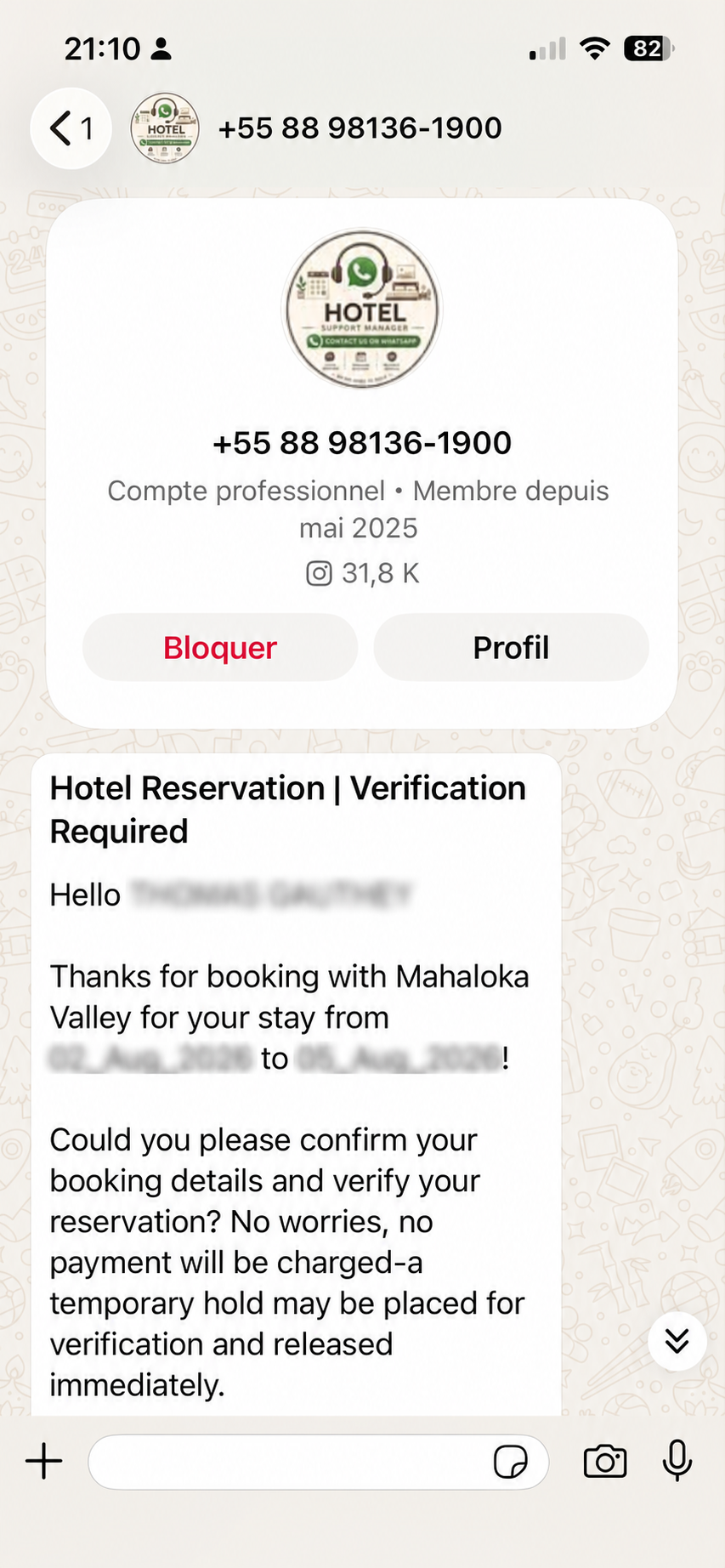
A message can contain your correct guest name, hotel name, booking dates, and reservation number and still be fraudulent. Correct information does not prove a message is legitimate.
Evidence
See how exposed reservation details are used
The guest evidence and independent reporting below show why a message can appear authentic even when it is fraudulent.
Independent reporting
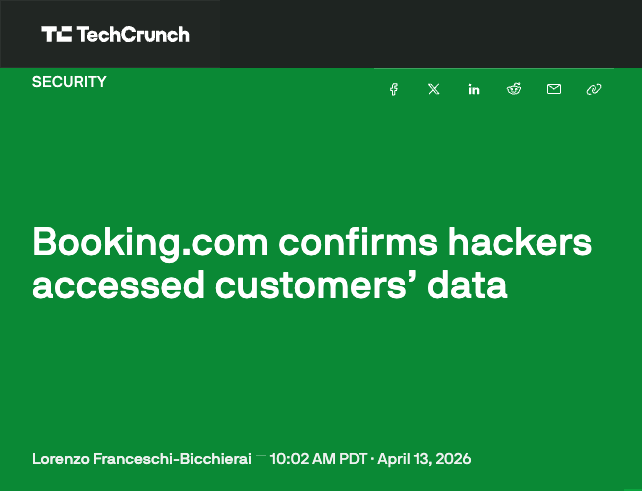
Booking.com confirmed hackers accessed customer data
What the reporting confirms
Booking.com said unauthorized third parties may have accessed personal and reservation information, including data shared with accommodation providers.
What Booking.com confirmed
Unauthorized parties accessed certain reservation information
The exposed information may include guest names, phone numbers, email addresses, hotel details, booking dates, reservation details, and information shared with the property.
This data allows scammers to send extremely convincing WhatsApp messages containing real reservation information. Booking.com was responsible for protecting the reservation information stored and processed through its platform.
Mahaloka Valley’s position
Our systems are not the source identified in this incident
The fraudulent message received by our guest was not sent by Mahaloka Valley. There is no evidence that Mahaloka Valley’s website, WhatsApp, email, or internal systems were breached.
The scam was made possible by reservation information exposed through Booking.com’s security incident. Mahaloka Valley did not authorize the message and did not send the fake payment request.
Why the message looks genuine
Accuracy is not authenticity
Scammers can use correct guest names, hotel names, booking dates, reservation numbers, and other reservation details to make a message feel personal and urgent. They may ask you to “reconfirm” a card, pay a balance, or prevent a cancellation.
Correct guest names, hotel names, dates, and reservation numbers do not prove a message is legitimate.
Fake payment page danger
“Card not accepted”
A fake payment page may display this message after it has already collected your card information. Do not keep trying another card.
If you entered card details
Contact your bank immediately
Do not wait for a transaction to appear before protecting your account.
- Contact your bank immediately. Tell the bank that your card details were entered on a suspected phishing page.
- Block or replace your card. Follow your bank’s instructions and request a new card if advised.
- Check for unauthorized transactions. Review your account and report anything unfamiliar to your bank or card provider.
- Never share a security code. Never share an OTP, PIN, password, CVV, or banking approval code with anyone who contacts you.
Verify through a trusted channel
Use Mahaloka Valley’s official website or official WhatsApp
Do not use links, phone numbers, or contact details inside a suspicious message. Open our website yourself or contact our official WhatsApp number directly.
Trusted sources
Independent reporting and Booking.com safety guidance
These links open the original sources in a new tab.
WHEN IN DOUBT, STOP. Verify independently before you reply, pay, or share any information.