- 1Choose
- 2Pay
- 3Confirm
PAY YOUR MAHALOKA RESERVATION
Choose how you would like to pay
Select QRIS for a supported payment app, or make an international bank transfer with Wise or Revolut.
Complete payment securely in your own app · Only pay your confirmed invoice amount
STEP 2 · WISE
Pay with Wise
Send the exact invoice amount in Indonesian Rupiah to our BCA account.
What to do in Wise
- 1
Open Wise and choose Send money.
- 2
Add a bank recipient in Indonesia.
- 3
Choose IDR and enter the exact amount on your invoice.
- 4
Copy the BCA recipient details exactly as shown.
- 5
Review the recipient, exchange rate, fee, and delivery time before sending.
- 6
Save the successful transfer receipt and send it to Mahaloka Valley below.
Use your booking name, arrival date, or invoice number.
RECIPIENT DETAILS
Bank Central Asia
- Bank name
- Bank Central Asia - Indonesia
- Account holder
- I Nyoman Merdana
- Account number
- 3950308787
- SWIFT code
- CENAIDJA
- Recipient address
- Crystal Bay Street, Sakti, Kecamatan Nusa Penida, Kabupaten Klungkung, Provinsi Bali 80771, Indonesia
- City
- Klungkung
- Postal code
- 80771

STEP 2 · REVOLUT
Pay with Revolut
Make an international bank transfer for the exact invoice amount in IDR.
What to do in Revolut
- 1
Open Revolut and go to Payments.
- 2
Add a new Bank recipient in Indonesia.
- 3
Enter our BCA details and select IDR when available.
- 4
Enter the exact amount shown on your confirmed invoice.
- 5
Check the beneficiary, exchange rate, fee, and delivery time.
- 6
Complete the transfer, save the receipt, and send it below.
Use your booking name, arrival date, or invoice number.
BENEFICIARY DETAILS
Bank Central Asia
- Bank name
- Bank Central Asia - Indonesia
- Account holder
- I Nyoman Merdana
- Account number
- 3950308787
- SWIFT code
- CENAIDJA
- Recipient address
- Crystal Bay Street, Sakti, Kecamatan Nusa Penida, Kabupaten Klungkung, Provinsi Bali 80771, Indonesia
- City
- Klungkung
- Postal code
- 80771

STEP 2 · QRIS
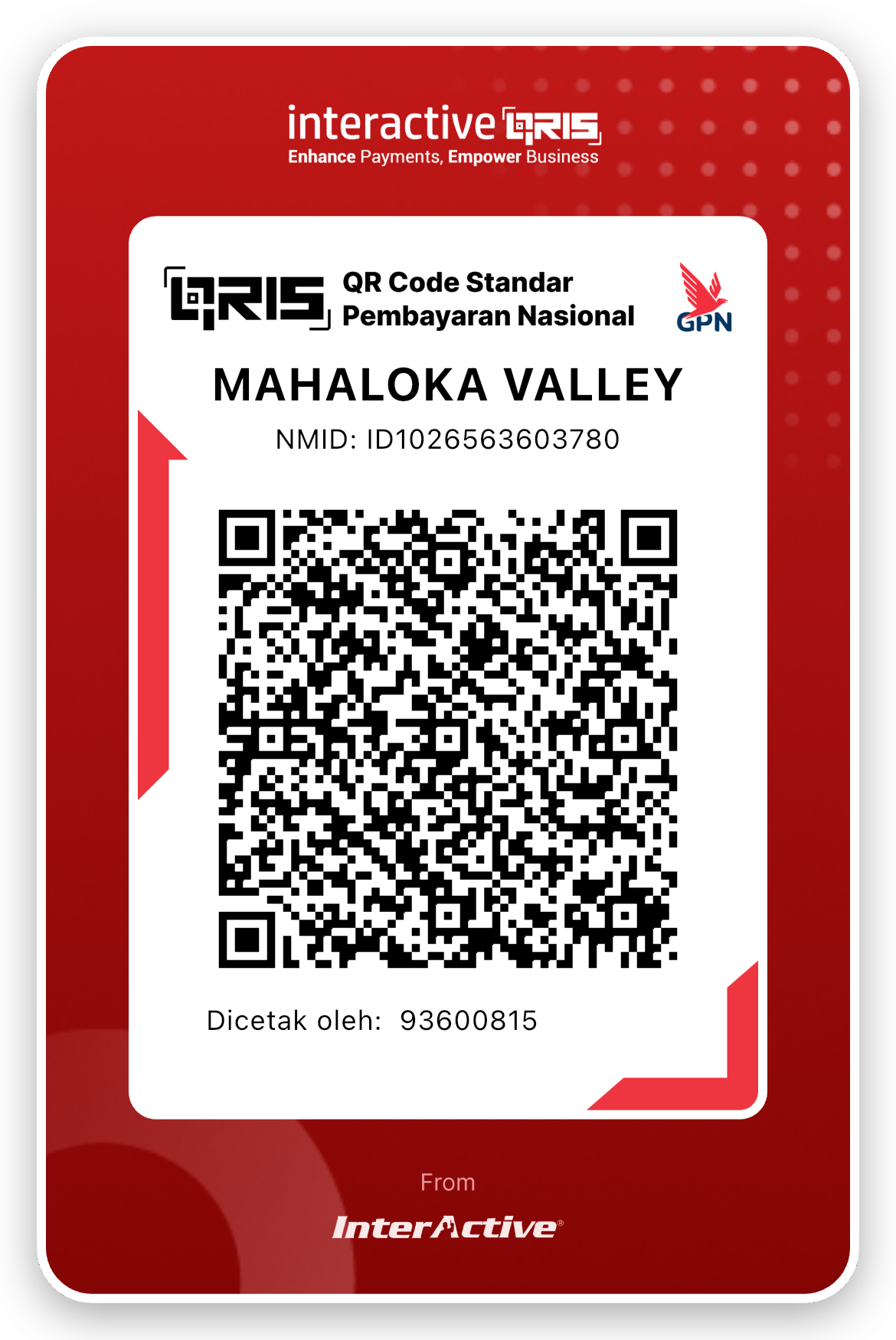
Scan and pay with QRIS
Use a participating payment app and enter the exact invoice amount in Indonesian Rupiah.
QRIS CROSS-BORDER · AS OF 7 AUGUST 2026
Indonesia and 6 connected countries
Cross-border payment works only with participating banks and payment apps. Check the official Bank Indonesia participant information or confirm support with your payment provider.
How to pay
- 1
Open a participating bank or payment app and choose Scan QR.
- 2
Scan this code from another screen, or download it and select it from your gallery if supported.
- 3
Enter the exact invoice amount in IDR. This static QR does not add the amount automatically.
- 4
Before entering your PIN, make sure the merchant name is MAHALOKA VALLEY.
- 5
Complete the payment and save the successful receipt.
For a larger invoice, use Wise or Revolut, or contact Mahaloka Valley before making multiple payments.